In today’s rapidly evolving education landscape, schools are expected to manage everything from admissions and attendance to fee collection, academics, examinations, and parent communication with greater speed and accuracy. Relying on manual processes or multiple disconnected software solutions often leads to inefficiencies, communication gaps, and increased administrative workload.
This is where a School ERP (Enterprise Resource Planning) system becomes invaluable. A well-designed School ERP centralizes school operations, streamlines administrative tasks, enhances collaboration, and improves the overall learning experience for students, teachers, parents, and administrators.
However, with numerous ERP solutions available in the market, selecting the right one can be overwhelming. Every school has unique requirements, and investing in the wrong system can lead to wasted time, increased costs, and operational challenges.
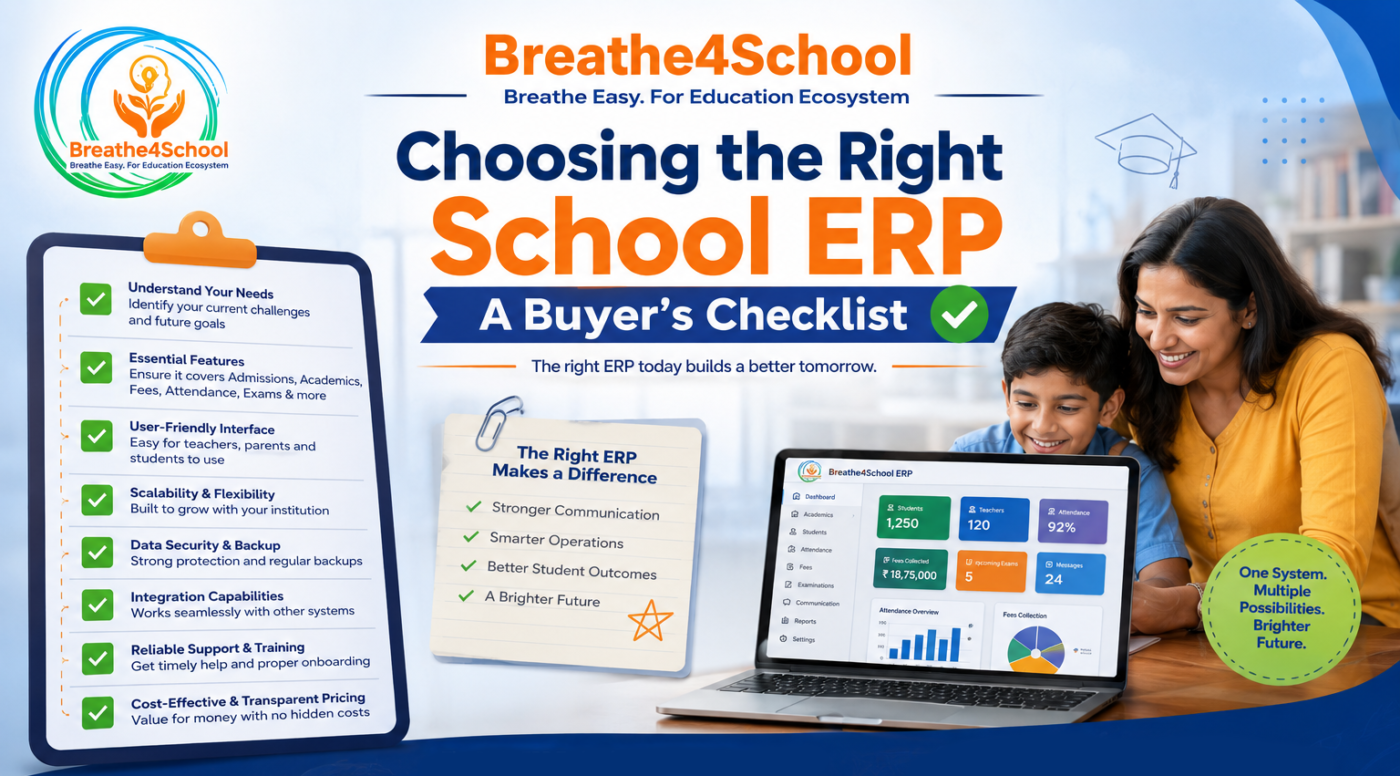
This comprehensive buyer’s checklist will help you evaluate the essential features and considerations before choosing the right School ERP for your institution. We’ll also explore how Breathe4School empowers educational institutions with an all-in-one digital ecosystem.
What Is a School ERP?
A School ERP is an integrated software platform that helps educational institutions manage academic, administrative, financial, and communication processes through a single centralized system.
Instead of using separate applications for attendance, fee management, admissions, and examinations, a School ERP connects every department, allowing information to flow seamlessly across the institution.
A modern ERP reduces manual work, improves data accuracy, and supports better decision-making through real-time insights.
Why Schools Need a School ERP
Schools today face increasing administrative demands while striving to provide quality education. A robust ERP helps institutions:
- Automate repetitive administrative tasks
- Improve communication between stakeholders
- Reduce paperwork
- Enhance data accuracy
- Simplify fee management
- Track student performance
- Improve teacher productivity
- Support digital learning
- Generate insightful reports
An ERP is no longer a luxury—it is an essential tool for efficient school management.
School ERP Buyer’s Checklist
Before investing in any School ERP, evaluate the following factors carefully.
1. Comprehensive Student Information Management
A good ERP should provide a centralized student database that stores all essential information securely.
Look for features such as:
- Student profiles
- Admission records
- Academic history
- Medical information
- Parent details
- Transport information
- Document management
Having all student information in one place eliminates duplicate records and improves accessibility.
2. Simple and Efficient Admission Management
Admissions are often the busiest period for schools.
Choose an ERP that supports:
- Online admission forms
- Document uploads
- Application tracking
- Admission approvals
- Student profile creation
- Automated notifications
Digital admissions reduce paperwork while improving the applicant experience.
3. Smart Fee Management
Fee collection should be fast, transparent, and secure.
Your ERP should offer:
- Online fee payments
- Multiple payment options
- Automated reminders
- Digital receipts
- Outstanding balance tracking
- Financial reports
Automated fee management improves collection efficiency while reducing administrative effort.
4. Digital Attendance Management
Attendance tracking should be simple and accurate.
Essential features include:
- Student attendance
- Teacher attendance
- Leave management
- Attendance reports
- Parent notifications
- Attendance analytics
Digital attendance saves classroom time and improves communication with parents.
5. Timetable and Academic Planning
A quality ERP should simplify scheduling for both administrators and teachers.
Look for:
- Class timetables
- Teacher schedules
- Examination timetables
- Room allocation
- Substitute teacher management
Automated scheduling minimizes conflicts and saves valuable administrative time.
6. Learning Management System (LMS) Integration
Modern schools need more than administrative software.
Choose an ERP that includes or integrates with an LMS to support:
- Online learning
- Digital content sharing
- Assignments
- Assessments
- Homework
- Lesson planning
- Student collaboration
This creates a seamless connection between administration and academics.
7. Parent Communication Tools
Strong communication strengthens trust between schools and families.
Your ERP should include:
- Parent mobile app
- Instant notifications
- Circulars
- Homework updates
- Attendance alerts
- Fee reminders
- Examination updates
- Event notifications
Parents should be able to stay informed anytime, anywhere.
8. Examination and Assessment Management
Assessment management should be efficient and flexible.
Important capabilities include:
- Exam scheduling
- Grade management
- Result generation
- Report cards
- Performance analysis
- Subject-wise reports
Automated assessments save teachers time while improving reporting accuracy.
9. Teacher Productivity Features
Teachers need tools that reduce administrative work and help them focus on teaching.
Consider features like:
- Lesson planning
- Assignment management
- Attendance marking
- Classroom communication
- Performance tracking
- Digital resource sharing
An ERP should simplify daily teaching responsibilities rather than adding complexity.
10. Reporting and Analytics
Data-driven schools make better decisions.
A strong ERP should provide:
- Student performance reports
- Attendance analytics
- Fee reports
- Academic dashboards
- Teacher performance insights
- Administrative reports
Real-time analytics help school leaders identify opportunities for improvement.
11. Mobile Accessibility
Education no longer happens only inside school premises.
Choose an ERP that offers:
- Mobile apps for parents
- Teacher mobile access
- Student portal
- Administrator dashboard
- Responsive web interface
Mobile accessibility ensures everyone stays connected on the go.
12. Data Security and Privacy
Schools manage highly sensitive information.
Ensure the ERP provides:
- Secure cloud hosting
- Data encryption
- User authentication
- Role-based access
- Regular backups
- Privacy compliance
Security should never be compromised when selecting school software.
13. Easy-to-Use Interface
Technology should simplify work—not complicate it.
Choose software with:
- Clean dashboard
- Simple navigation
- Minimal learning curve
- User-friendly design
- Quick access to frequently used features
An intuitive interface increases user adoption across the institution.
14. Scalability
Your school’s needs will grow over time.
Select an ERP that can scale with your institution by supporting:
- More students
- Additional campuses
- New users
- Expanded academic programs
- Future feature upgrades
A scalable solution protects your long-term investment.
15. Customization and Flexibility
Every institution operates differently.
Look for an ERP that allows customization of:
- Reports
- User roles
- Fee structures
- Academic sessions
- Timetables
- Communication workflows
Flexibility ensures the system adapts to your school’s processes.
16. Customer Support and Training
Even the best software requires reliable support.
Choose a provider that offers:
- Product onboarding
- Staff training
- Technical support
- Regular updates
- Knowledge base
- Fast issue resolution
Strong support ensures smooth implementation and long-term success.
Common Mistakes Schools Make When Buying an ERP
Avoid these common pitfalls:
- Choosing based only on price
- Ignoring future scalability
- Purchasing software with unnecessary features
- Overlooking user experience
- Not involving teachers and administrators in the selection process
- Ignoring data security
- Choosing software without reliable customer support
A thoughtful evaluation process leads to a more successful implementation.
Why Schools Choose Breathe4School
Breathe4School is a comprehensive School ERP and Learning Management System designed to simplify school administration while enhancing teaching and learning.
It brings academics, administration, communication, and analytics together into one intelligent platform.
Key Features of Breathe4School
- Student Information Management
- Online Admission Management
- Smart Fee Management
- Digital Attendance System
- Learning Management System (LMS)
- Homework and Assignment Management
- Timetable Management
- Examination and Assessment Module
- Parent Communication App
- Teacher Portal
- Student Portal
- Academic Performance Tracking
- Reports and Analytics
- Cloud-Based Access
- Secure Data Management
- Multi-User Access
- Mobile-Friendly Platform
Whether you’re managing a school, college, or coaching institute, Breathe4School provides the tools needed to improve efficiency, enhance collaboration, and deliver a better educational experience.
Questions to Ask Before Buying a School ERP
Before making your final decision, ask the vendor:
- Does the ERP include an integrated LMS?
- Is there a dedicated Parent App?
- Can the system handle future growth?
- How secure is student data?
- Is technical support available after implementation?
- Does it offer mobile access for all users?
- How easy is it to train teachers and staff?
- Can reports be customized?
- Does it support online fee payments?
- How frequently is the software updated?
The answers to these questions will help you make a confident purchasing decision.
Conclusion
Selecting the right School ERP is one of the most important technology decisions an educational institution can make. The ideal solution should go beyond basic administration and provide a unified platform that supports admissions, attendance, academics, communication, finance, and digital learning.
By carefully evaluating your school’s needs and following this buyer’s checklist, you can choose a solution that not only simplifies operations but also enhances the educational experience for students, teachers, parents, and administrators.
With its comprehensive features, intuitive interface, secure cloud infrastructure, and integrated Learning Management System, Breathe4School is built to help educational institutions embrace digital transformation with confidence.
Investing in the right School ERP today lays the foundation for a smarter, more efficient, and future-ready school.